
What Can an Apple Watch Do for Seniors?
The Apple Watch is a smart watch that takes the place of conventional timepieces. It’s like having a mini-computer on your wrist that provides lots of useful functionality.
What Can an Apple Watch Do for Seniors?
The Apple Watch is, as its name implies, a watch—a digital watch, to be precise. However, an Apple Watch does more than just tell time; it’s a smart watch that can function as a communications device, a digital music player, a health and fitness tracker, and more.
The latest Apple Watch models – the Series 9, released in September 2023 – include features such as a blood oxygen app, an electrocardiogram app, a sleep monitoring app, a temperature sensor, and Apple’s Optical Heart Rate Sensor. All of these features make the Apple Watch a useful and desirable device for people of all ages, but especially for seniors.
Using the Apple Watch for Health and Fitness
Some of the Apple Watch’s chief benefits for seniors come in the area of health and fitness. The Apple Watch is, by design, a fitness tracker, and fitness is important to users of any age.
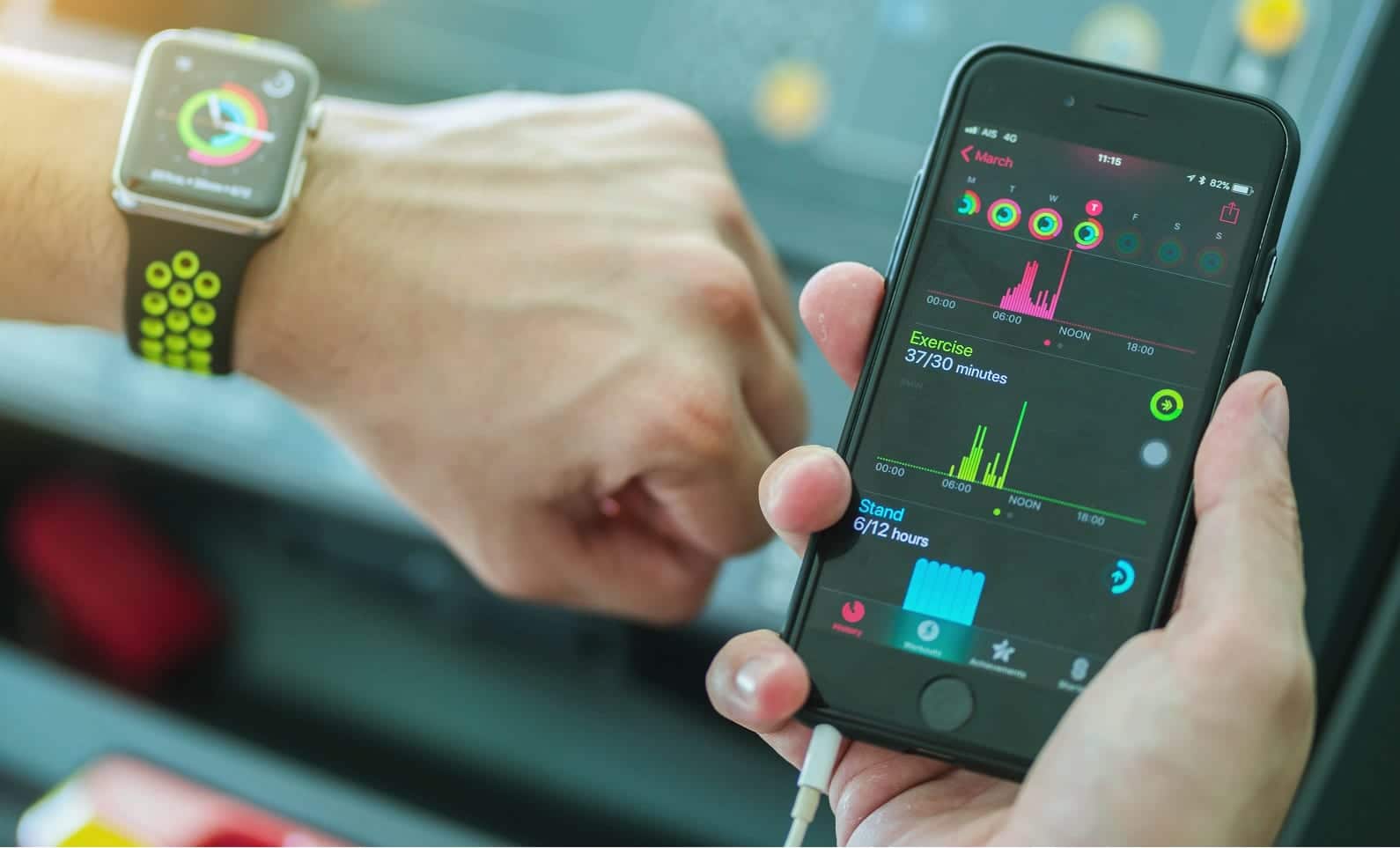
Most Apple Watch users use their Watch to track exercise routines. The Apple Watch has built-in sensors that can track your activity levels and the number of steps you take each day. The Watch’s Health app can then analyze your progress to the goals you set. It’s a great way to monitor your physical activity.
The new Apple Watch Series 9 and Ultra 2 also include a built-in Electrocardiogram (ECG) sensor to monitor and display your heart rate. If you have arrhythmia or other heart irregularities, the Watch can alert you if your heart goes out of rhythm. It’s also useful if you just want to track how exercise affects your heart rate, and it will alert you when your heart rate gets too high or too low.
Using the Apple Watch to take an EKG is a lot more convenient than going to your doctor’s office to do so. And, since the Apple Watch stores all this medical data, you can easily transfer the data to your doctor or caregiver for review.
You can also use the Apple Watch to monitor your sleep. The built-in Health app can track how long you sleep, while other apps can provide more detailed information about your sleep patterns, such as how long it takes you to fall asleep and when your sleep is disrupted. In addition, the built-in temperature sensor tracks your temperature as you sleep so you can see changes over time.
Using the Apple Watch for Emergencies
The Apple Watch can be quite useful in the case of emergencies. The Watch has a built-in gyroscope and accelerometer that can detect when you fall. When the Watch detects a fall, it displays a message asking if you’re okay. If you don’t respond within 60 seconds, the Watch automatically notifies emergency services and call your emergency contacts. The fall detection feature is activated automatically for any user over 65 years old.
There’s also a built-in Emergency SOS feature that lets you press a button on the side of the watch to quickly call 911 in case of a medical or other type of emergency. You can also configure this feature to call selected contacts in the case of an emergency. If you do experience a medical emergency, the Apple Watch can function as a digital medical ID. This way emergency personnel can use the Apple Watch to access all of your relevant medical information – your blood type, the medications you take, any allergies, and the like.
Also useful in case of emergencies is built-in Crash Protection. This feature detects if you’re in a severe car crash and automatically connects you with emergency services and notifies your emergency contacts.
(How does the Apple Watch do this? It uses combination of built-in gyroscope, g-force accelerometer, microphone, barometer, and GPS sensor to detect if you’ve been in an accident.)
Using the Apple Watch for Reminders
The Apple Watch is a great tool for anyone who needs reminding about anything. It’s easy to set the built-in alarm to alert you at specific times of the day. Some of these apps offer additional related features, including refill alerts and drug interaction warnings.
For example, if you sometimes need to be reminded to take your daily meds, the Watch’s Medications app is a useful tool. It keeps track of all your medications, vitamins, and supplements and discreetly reminds you when its time to take each one. It even keeps a log of all your meds and when (or if) you’ve taken them.
Using the Apple Watch to Communicate
For many seniors, the Apple Watch is a way to stay connected with friends and family. The Watch can easily supplement or even replace your phone. While Apple does offer Watch models with built-in cellular connectivity, you don’t have to pay extra to use the regular Apple Watch as a phone. All you have to do is make sure you have your iPhone nearby and the Apple Watch uses Bluetooth and Wi-Fi technology to wirelessly connect to your phone.
When your Apple Watch and iPhone are paired, you can use the Watch to make and answer phone calls. It’s just like having a phone on your wrist! When you get an incoming phone call, the Apple Watch makes a sound and displays a notification on its screen. To answer the call, press the green phone button on the screen and start talking. To make a call, hold the Watch up to your face and say “Call contact,” where contact is the name of the person you want to call. The Watch connects your iPhone and dials that person. When he or she answers, start talking normally.
You can also use the Apple Watch to send and receive text messages, although tapping on that little screen can be a little problematic. It’s a lot easier to use the Watch’s collection of built-in replies or the device’s voice-to-text functionality. With the latter, all you have to do is tap the microphone icon and start dictating your message. The Watch will convert your dictation into a text message and send it to the person you’re texting with. You can also create audio messages within a text or use the Scribble function to draw your message, one letter at a time, onscreen.
While you can’t do social media on an Apple Watch (there aren’t official Watch apps for Facebook or Twitter) many popular messaging services have Apple Watch apps. For example, you can download the Facebook Messenger app and use your Watch to send and receive text messages to and from your Facebook friends. The Apple Watch doesn’t include a camera, so you can’t do video meetings and chatting, but you can use some chat platforms for audio chatting on your Watch. For example, you can use your Watch for text and audio chatting with Apple FaceTime.
Using the Apple Watch for Entertainment
Finally, the Apple Watch is a great little entertainment device that you carry along with you. You can use the Apple Watch to listen to music or podcasts from the Apple Music service or read audiobooks you’ve purchased. It’s like having an iPod on your wrist!
Apple Fitness+
All Apple Watches come with a free three-month subscription to Fitness+, Apple’s fitness program powered by Apple Watch. Fitness+ provides online workouts with top trainers and in-session metrics, like heart rate and calories burned, synced to your iPhone, iPad, or Apple TV. Read more at: Apple Fitness+.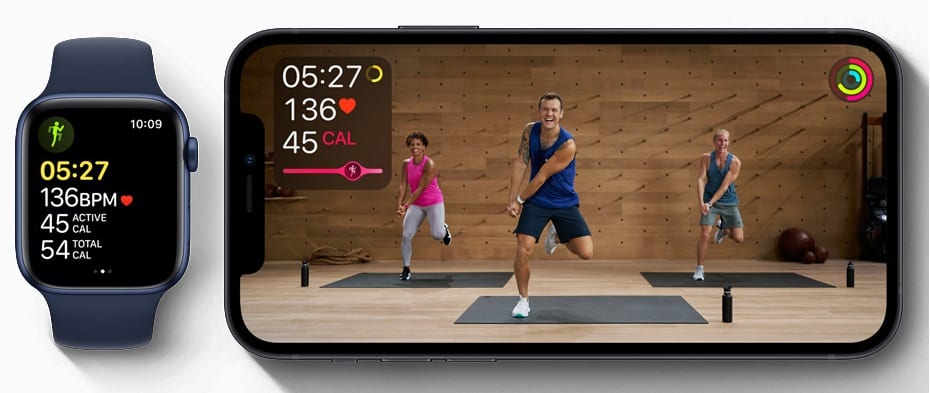
Apple Watch paired with Fitness+ (Photo courtesy Apple)
Which Apple Watch is Best for You?
Apple offers three Watch models, all available at the Apple Store, Amazon, Target and other major retailers.
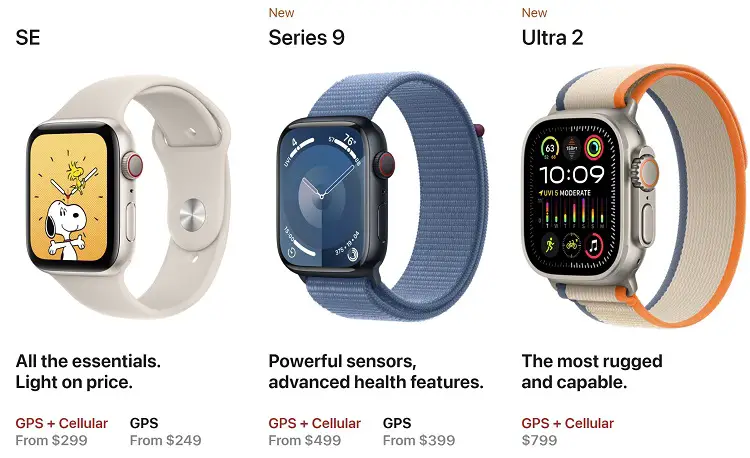
The most affordable model is the Apple Watch SE, which starts at just $249. It comes with either a 40mm or 44mm display, making it the smallest model in the line, and is available both with and without built-in cellular capability. It lacks some of the more useful health-related features of the more expensive models, but it’s a good value.
If you want all the fancy features, including the Blood Oxygen and ECG apps, the new Apple Watch Series 9 is the way to go. It features a slightly larger screen than the SE – available in 41mm and 45mm models – with 20% more screen area. It also features a crack-resistant front crystal with edge-to-edge Always-On display, so it’s more durable. Even though this is a more expensive model – pricing starts at $399 – the added health-related features make it the best version for many seniors.
Apple also offers an ultra-rugged model called, appropriately enough, the Apple Watch Ultra 2. This one includes all the high-end features of the Series 9 but packs them into a rugged titanium case that is swimproof and diveproof up to 100 meters.
It has a slightly larger 49mm screen and a few extra features that athletes and adventurers will like, such as a depth gauge, water temperature sensor, Oceanic+ dive computer app, precision dual-frequency GPS, and built-in emergency siren. It also has a bigger battery that can hold up to a 36-hour charge, almost twice as much as the SE or Series 9 models.
All this comes at a price — starting at $799, it’s twice as expensive as the Series 9. But if you’re a serious swimmer or athlete, this may be the watch to buy.
You can compare the three models at: Apple Watch Model Comparison
Below are some videos about the Apple Series 9 Watch from Apple YouTube Channel.
Where to Buy an Apple Watch
It’s a good idea to get hands-on experience with several Apple watches before you decide which to purchase. You can view and try out all the watches at Apple Stores. Best Buy also usually has them on display. As for who has the best prices, you can check them out here:
Related Stories
- Best iPads for Seniors
- Save on iPads
- Apple Watch Series 9 Announced
- Best iPhones for Seniors
- Apple AirPods on Sale
- Apple’s Classical Music App: 4 Months Free